


Last month I lost an hour of context because I sat down at the wrong computer.
Claude Code is brilliant at holding a long, messy conversation: a debugging session, an architecture discussion, a migration plan. But it keeps each conversation as a file on the PC where it happened. Move to your laptop, your office machine, or a colleague’s desk, and the thread is gone. Even on the same PC, /resume only lists chats started in the folder you’re in.
I wanted my conversations to follow me. So I built CodeRoam.
What it does
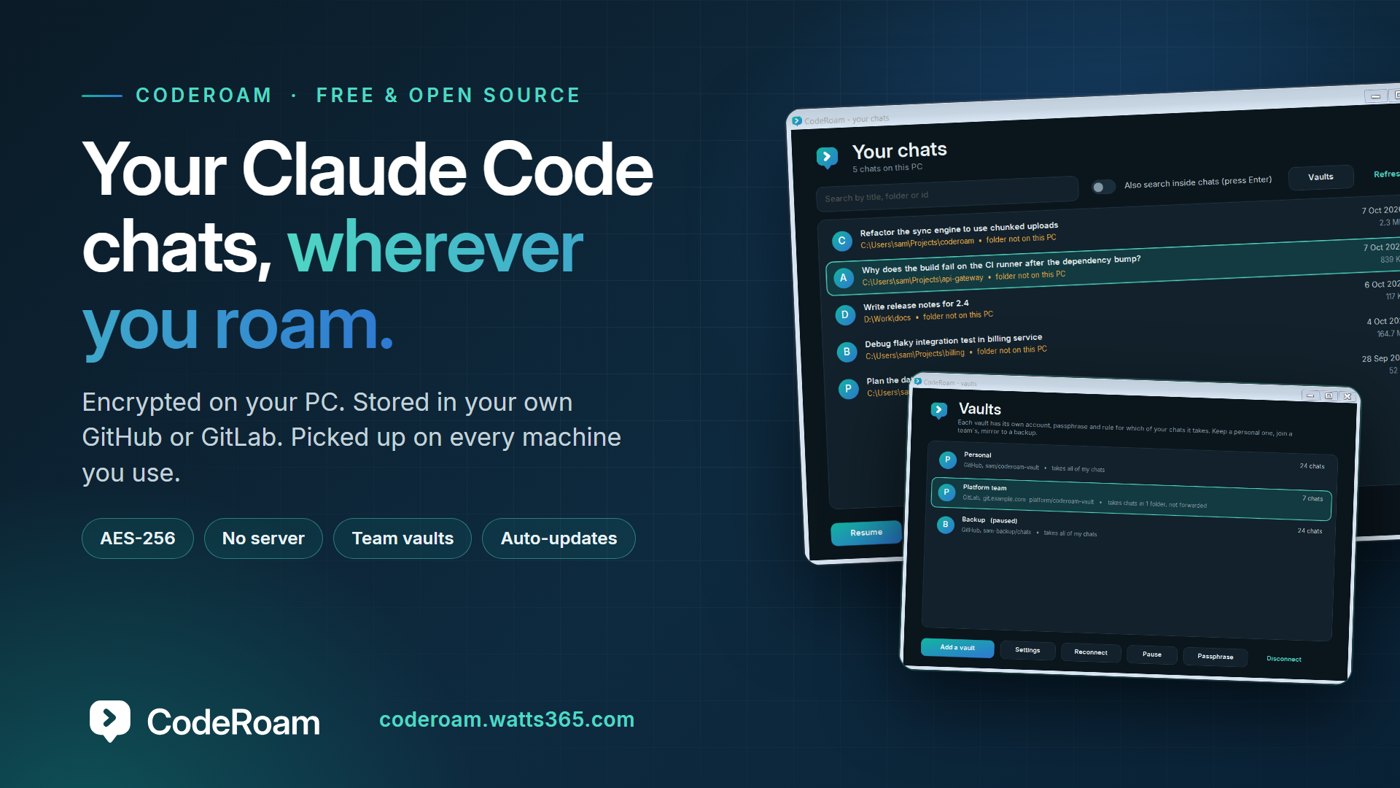
CodeRoam is a small Windows app that lives in the notification area and keeps your Claude Code chats in step across every PC you use. Start a conversation in one place, pick it up in another, in the terminal or in VS Code.
The constraints that shaped it
Chats are sensitive. They contain file contents, command output and sometimes secrets that scrolled past on screen. So I set some rules before writing any code:
- Encrypted before it leaves the PC. AES-256 with an integrity check, with a key stretched from your passphrase. Whatever stores your chats only ever sees scrambled data, and not even the file names reveal anything.
- No CodeRoam server. No account with me. No telemetry. Your chats go to your own private GitHub repository, or a project on your own self-hosted GitLab.
- It must just work. Different Windows user names, different folder paths, chats of hundreds of megabytes, two PCs editing the same conversation at once.
How it copes with the awkward parts
- Big chats: conversations are cut into pieces and each piece is encrypted separately, so a chat that grows only uploads its newest piece.
- Different machines: CodeRoam matches folders between PCs, so a chat from
C:\Users\alex\Projects\appopens inD:\Code\appon the other machine. - Two PCs, one chat: if both continued it before syncing, CodeRoam merges the two histories instead of overwriting one, and keeps the originals.
- Your PC is the master copy. Syncing never deletes a chat.
It’s an app, not a script
There’s a one-window installer (no admin rights), a searchable library of every chat on the PC, one-click resume in the terminal or VS Code, a right-click menu, and automatic updates that are checked against a checksum before they install.
Teams and more than one vault
The newest part is vaults. A PC can connect to several at once: a personal one, a work one on a different account, your team’s, a backup mirror. Each has its own passphrase and its own rule for which of your chats go in (all of them, chosen folders, or only ones you pick by hand). In a shared vault you can see whose chat is whose, and a chat that arrived from your team vault is never copied into your personal one by accident. You can take a chat back out of a vault, change a vault’s passphrase, or hand a single chat to someone as an encrypted file with a one-time passphrase.
Honest about where it is
It’s free and MIT-licensed. The installer isn’t code-signed yet, so Windows will show a SmartScreen warning, and each release publishes the file’s SHA-256 so you can check it. The GitLab and team features are new, and I’ve tested them thoroughly but not yet on many real servers, so I’d genuinely like feedback from anyone who tries them.
Try it
If you use Claude Code on more than one machine, you can have it running in about five minutes: coderoam.watts365.com
CodeRoam is an independent tool. It is not made, endorsed or supported by Anthropic. “Claude” and “Claude Code” are trademarks of Anthropic, named here only to describe what CodeRoam works with.